

If you want to invest in your hard drive backups and step up your game as a video editor and clipper, or make sure your precious data is backed up and stored offline from the cloud, get a Lacie external hdd, the Lacie rugged hdd, the Lacie hdd with the rubber protection around it for military-grade protection of your precious files. If you are a streamer, start backing up your live feeds if you don’t already!!!!! No need to rely on the platform to store your vods for you. DANG!!! Kick only stores your vods for like two weeks now, it used to be 30days of vod storage, but I think something changed recently on their end. If you don’t want to get a hard drive, you could utilize rumble as a second storage location for your live feeds, that way, if anything happens to your main channel, all the videos will still be accessible on rumble. Platform TOS are always changing. Stay safe out there, CHAT!!!!!
STREAMERS ▲ CLIPPERS ▲ VIEWERS // THE LSTV MISSION STATEMENT!
WELCOME TO LSTV
If you are in the market to upgrade your data storage space…..
THE LACIE USB-C HARD DRIVE WILL HAVE THE FASTEST TRANSFER SPEED.
IF YOU HAVE A MAC, YOU CAN GET A LACIE HDD WITH THE THUNDERBOLT CONNECTION, AND IT WILL BE SUPER FAST TOO!!!
If you just want the normal product that is compatible with the most technology, I would recommend the usb3 option.
Here is an image of the Lacie Rugged HDD. Laptop not included.
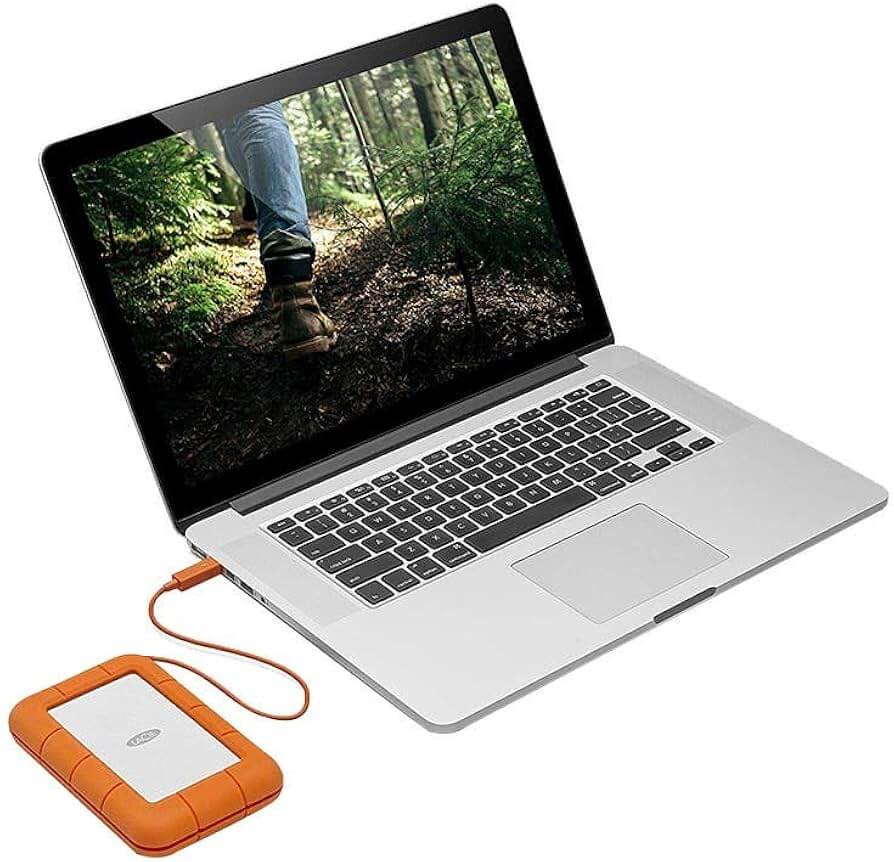
NUMBA WAN IN DATA PROTECTION: THE LACIE RUGGED HDD
WORLD’S BEST
This hard drive conforms to military standard 810-F, whatever that means, I mean, nvm, I just asked Gullible Seagull…
According to Gullible Seagull, “The MIL-STD 810F standard is related to Environmental Engineering Considerations and laboratory testing. This standard establishes the environmental test conditions (vibration, acceleration, humidity, rain, temperature etc.) that the equipment may be subject to throughout its service life.”
Well, !datsdatden
Any hoot, the lacie hard drive is going to have super fast transfer speed, and the most reliability.
However, let’s be real here, if you lookit up, they r rly expensive. So, let’s cover some alternate options and suggestions:
- If you are video editing, and going to be using it a lot, I recommend at least 2tb to begin. That way you can work freely, not have any file space restrictions, and not worry about having to delete any files to make space.
- RULE NUMBA WAN, don’t delete anything that you might care about. If you saved it originally, you cared about it at some point, so usually I try not to delete anything.
- RULE NUMBA WAN.2 … always back up your data to two sources, if you care about it! If it is something really precious to you, the data should be on at least 3 hard drives / thumb disks / local computer storage as additional copies. The most important thing to consider, if you want to have the ultimate protection for your files, is to store a 4th or 5th hdd off-site, and make it one that you’ll only need to update occasionally for data sync. Now, the motto here is Safety First, so most certainly anything over two copies is going to be sufficient for most… but, you never know! Any amount of water or moisture could ruin your data and corrupt a hard drive pretty quickly. Although the Lacie rugged is equipped with military grade drop protection, I wouldn’t want to drop a hard drive and have that be my only copy of a file that I really cared about.
- Now that you have got a fancy new hard drive, you can back up all your google photos and google drive data!!! Clean up your files, especially if you are at the 15gb storage limit, check out https://takeout.google.com/ and export your data to back it up from the cloud today!!!
- Any other personal data, files, or documents on your local computer, you can now back them up to the external hard drive without having to be worried about any potential security risks of uploading and storing personal data on the cloud.
- If you use any other third party services, like dropbox or something, this is your opportunity to back up your files!
- Oh yea, what about iCloud….. or Apple Music, backing up those files, might be on your list to clean up too! Especially if you don’t like paying for the additional cloud storage upgrades.
- If that sounds good to you, then you’ll probably want the fastest data speeds to transfer these files, and the Lacie Rugged will perform great. Another benefit to this hard drive, is that it does not require additional ac power cord, because sometimes another power outlet is not always directly accessible.
- NOTE: SAFETY FIRST, ALWAYS EJECT THE DRIVE BEFORE UNPLUGGING IT
- ADDITIONAL OTPIONS:
- Anything made by Seagate
- Western Digital is ok
- Now, if you have a desktop computer setup, having an additional power cord for your hdd to function is probably a good thing. If you plan to leave the hdd plugged in consistently while your computer is operating, then this might be ideal. That way the usb cord does not need to pull power from the computer to function. Having the power cord for the hard drive may or may not increase stability. I’m not sure. I can confirm though, if you are using the hdd while your laptop is on battery power, that it will drain the battery faster if the hdd needs to draw usb power from the laptop for operation. Granted.
- I have gotten refurbished hdds from Amazon for super cheap, some 12tb drives, and they haven’t failed yet. Like I mentioned earlier though, always back up your data to at least two sources, and then you’ll never be concerned about it. This is your digital footprint, your digital photos, videos, and memories, after all, and perhaps, all of your music and movies that you have purchased and downloaded!!! Back up everything!!!!! Rule numba wan!
- Additional notice, from Gullible Seagull….. hav u ever heard of the phrase about having all your eggs in wan basket, well, ya, let’s not put too much precious data awl in wan place, mayne, let’s split it up a lil bit. There is no reason to get a hdd that’s over 8tb unless it is an incredible deal on your cost per tb and the device is on sale. Then, if it’s such a good deal, and you can afford it, buy two of those, because it is probably being offered at a really good price. Get a backup for your backup, hype. Tell a friend to tell a friend to tell a friend about JUANTHEPIGEON DOT COM!!! BRRRRR
- THANKS4WATCHING!!!
If any of this information was helpful, check out JUANTHEPIGEON AND LIVESTREAMTV on all platforms. WAN makes ART!
 JUANTHEPIGEON